Free workbook · No signup required
IT services margin forecast Excel template
Plan monthly revenue, cost and gross margin in rupees. Start with a spreadsheet, then bring your employee master into StaffLedger Margin Forecast.
Inside the workbook
Employee import
Names, unique IDs, company roles and hourly cost rates. The first sheet matches the app’s employee import.
Monthly planning
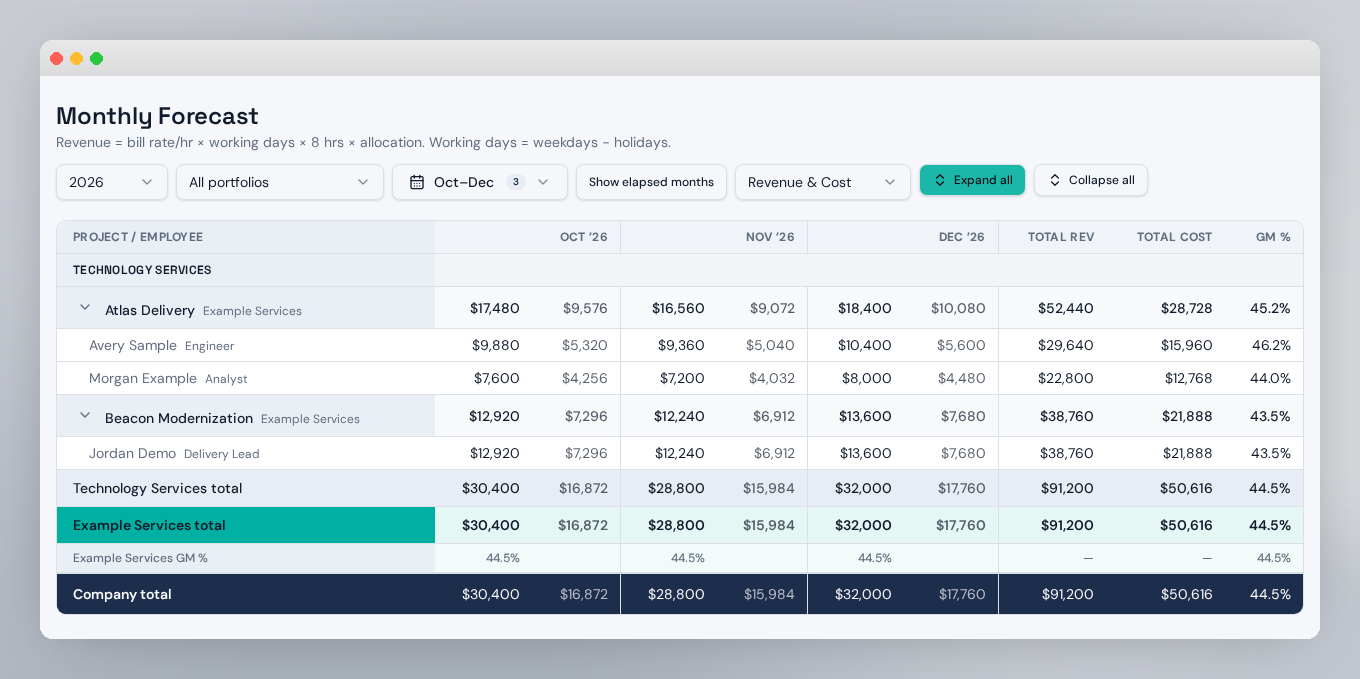
January–December calculations with editable rates, cost and billing dates, allocation, billing percentages and holidays.
Company summary
Monthly and annual revenue, cost, gross profit and gross margin. All examples are fictional.
From Excel to your workspace
- Replace the sample rows on Employee Import with your team’s details. Keep the first-row headers and unique employee IDs.
- In StaffLedger, open Manage → Employees → Import Excel, choose the rate effective date, and select your workbook.
- Choose Add to skip existing IDs, or Overwrite to update matching IDs. Create projects and staffing mappings separately.
Only employee name, ID, role and cost rate are imported. Planning sheets, bill rates, joining dates and employee types are not imported through this employee upload. The workbook uses constant rates; the app supports effective-dated rates.
Workbook planning totals are INR. Imports store numeric rates without a currency conversion; app reports currently display USD labels. Confirm your rate convention before uploading.